SMS Opt-In
Last updated: 2026-08-28
This page documents how TowGo collects consent for its TowGo Account & Service Alerts text-messaging program — the call-to-action a user sees, where it appears, and the exact language shown. It is published for transparency and for carrier / A2P 10DLC campaign verification. The full program terms live in our Messaging Terms.
Where users opt in
Users opt in when they create a TowGo account and choose to provide a phone number:
- Web app: https://towgo-customer.pages.dev/app/register — public, no login required to view.
- TowGo Android app: the in-app registration screen shows the same form.
- Account Settings: the same disclosure appears when a user later adds or changes the phone number on an existing account.
The phone number field is explicitly labeled "Phone (optional)" — providing a number is voluntary, and an account can be created without one.
The opt-in as shown at signup
Directly beneath the phone field, the signup form displays a consent checkbox that is unchecked by default. Leaving it unchecked does not affect account creation.
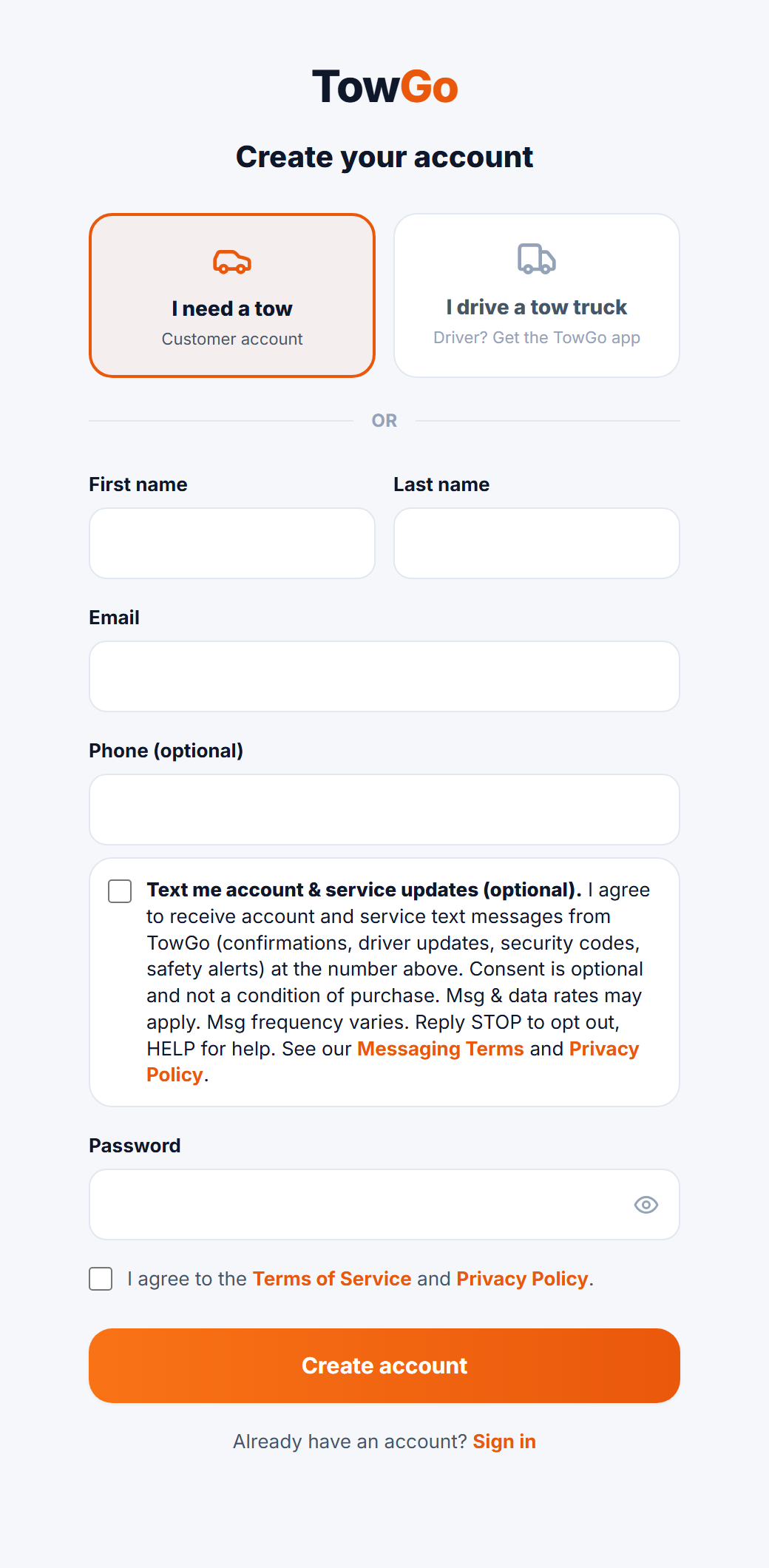
The exact consent language displayed:
Text me account & service updates (optional). I agree to receive account and service text messages from TowGo (confirmations, driver updates, security codes, safety alerts) at the number above. Consent is optional and not a condition of purchase. Msg & data rates may apply. Msg frequency varies. Reply STOP to opt out, HELP for help. See our Messaging Terms and Privacy Policy.
Program summary
- Program: TowGo Account & Service Alerts — transactional account and service messages only (verification codes, job confirmations, driver updates, safety and account alerts). No marketing SMS without a separate express opt-in.
- Consent is optional and not a condition of purchasing any good or service.
- Message frequency varies with account activity.
- Message and data rates may apply.
- Opt out: reply STOP to any message, or toggle off text messages in the app under Account → Email & promotions.
- Help: reply HELP to any message, or email [email protected].
Sample messages
Your TowGo verification code is 847291. It expires in 10 minutes. Do not share this code.Your TowGo driver Mike is 5 minutes away. Track live in the app.
Related documents
- Messaging Terms — full program terms.
- Terms of Service — Section 5, "Text Messages (SMS)".
- Privacy Policy — Section 6, "SMS and Communications Data".